Step 01
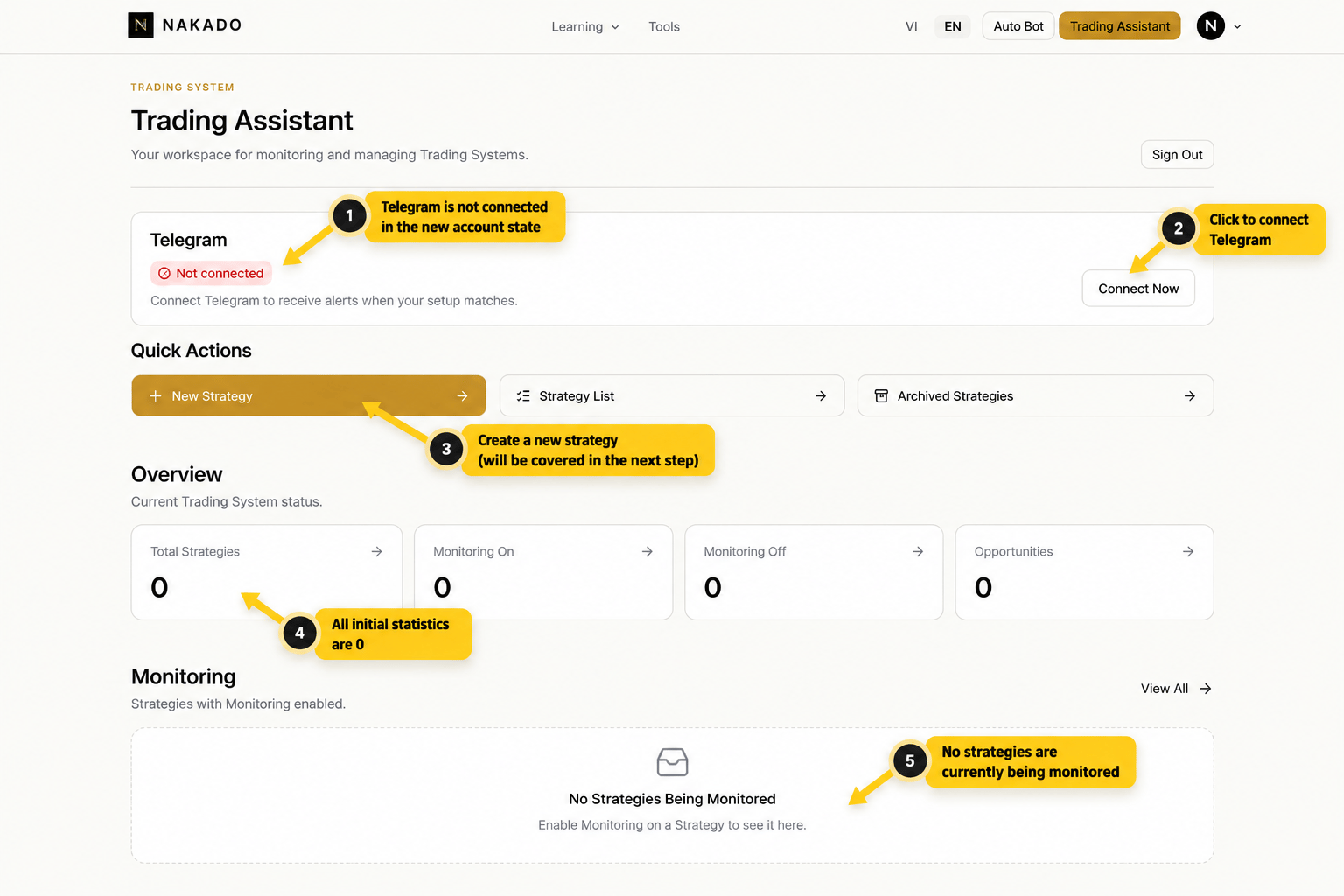
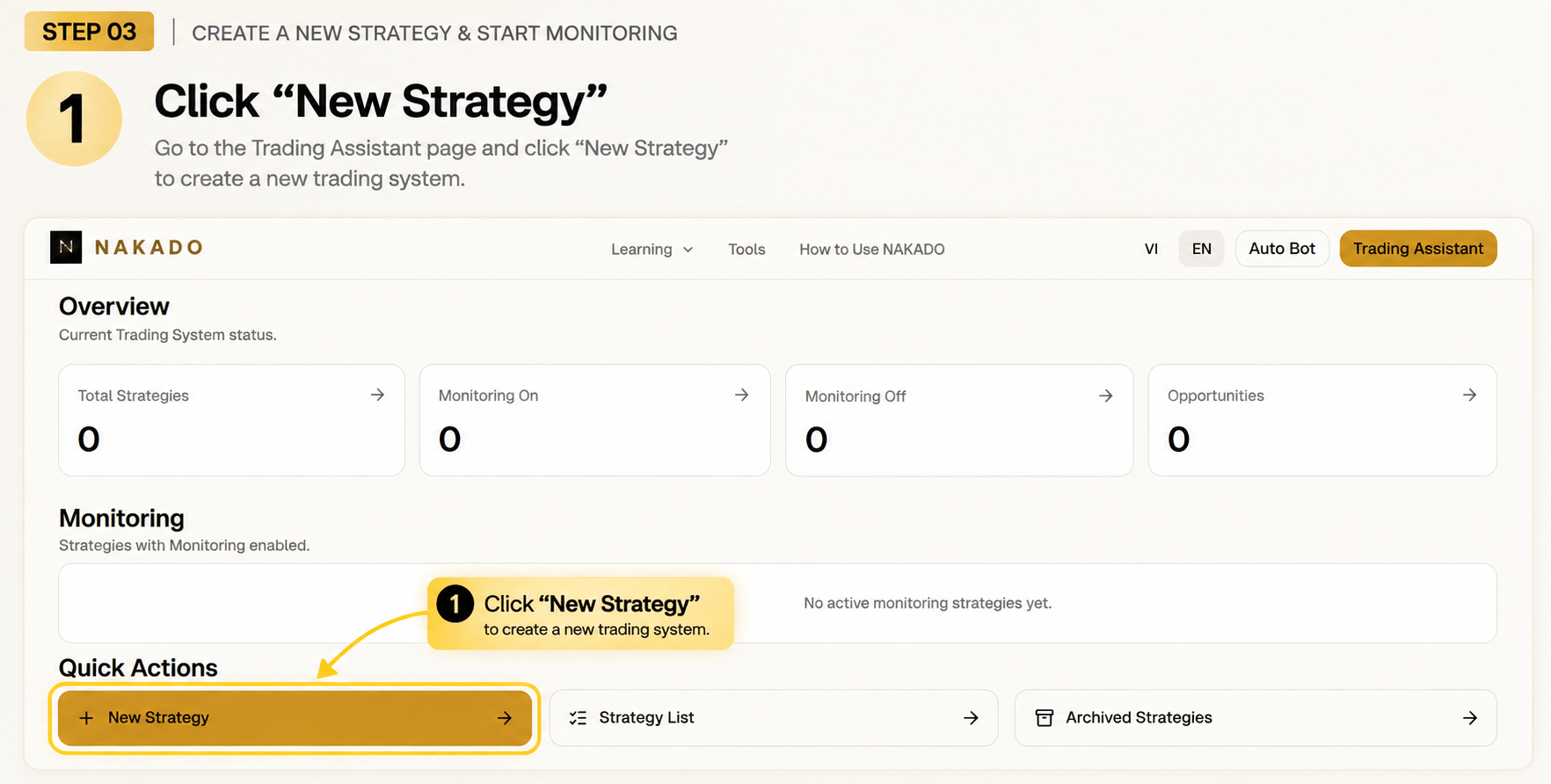
Open Trading Assistant
Open your Trading Assistant workspace and select New Strategy to create a monitoring setup. This is where you create and manage Trading Systems and monitoring status.
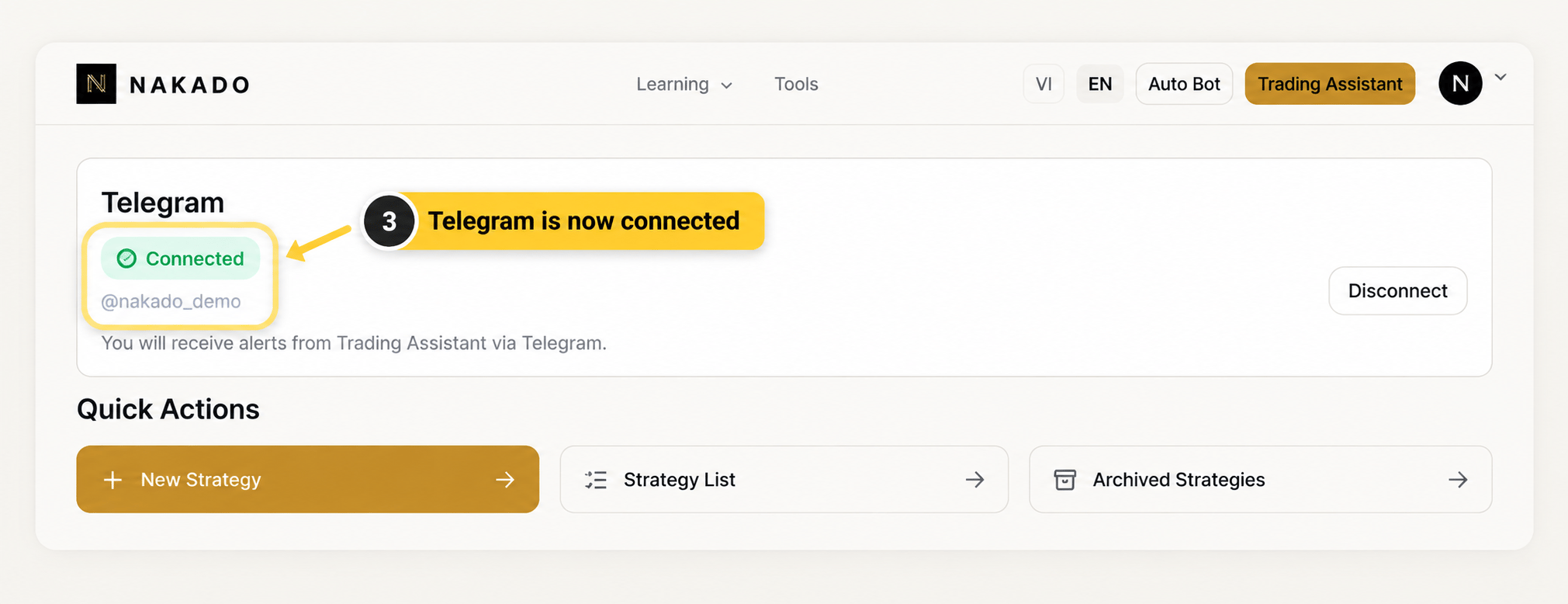
Connect Telegram for alerts
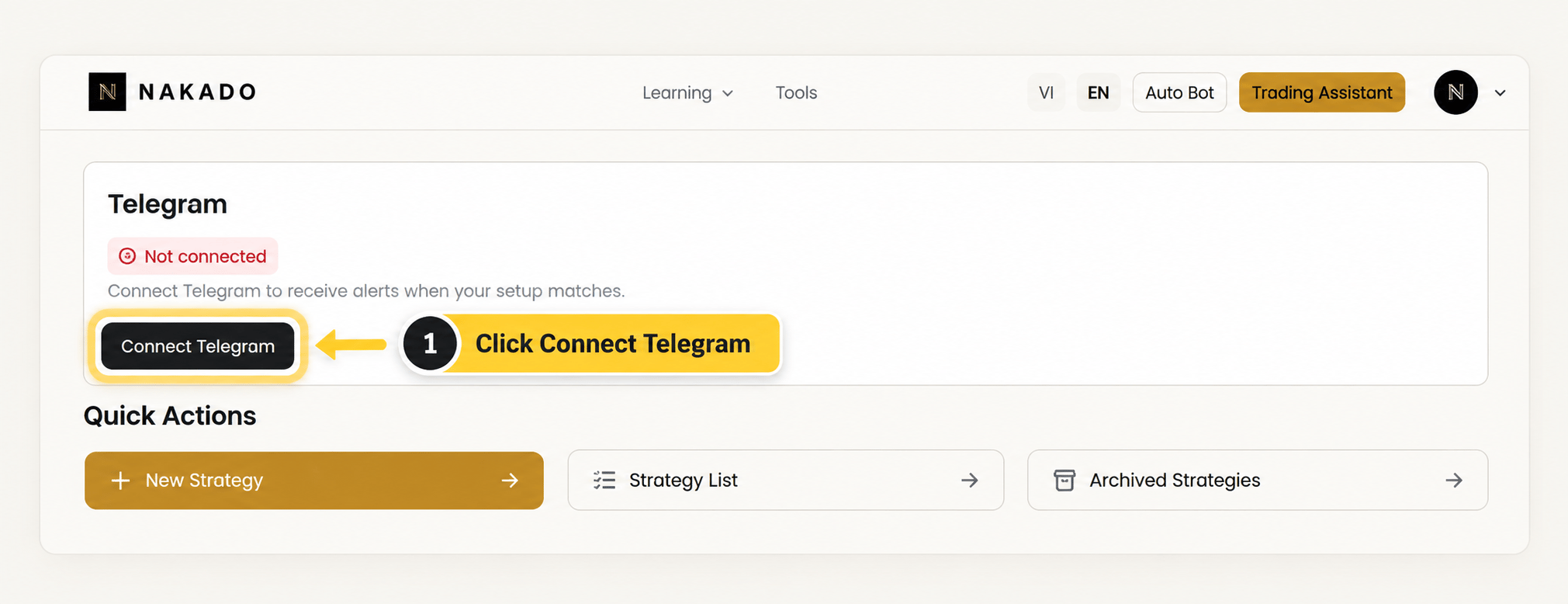
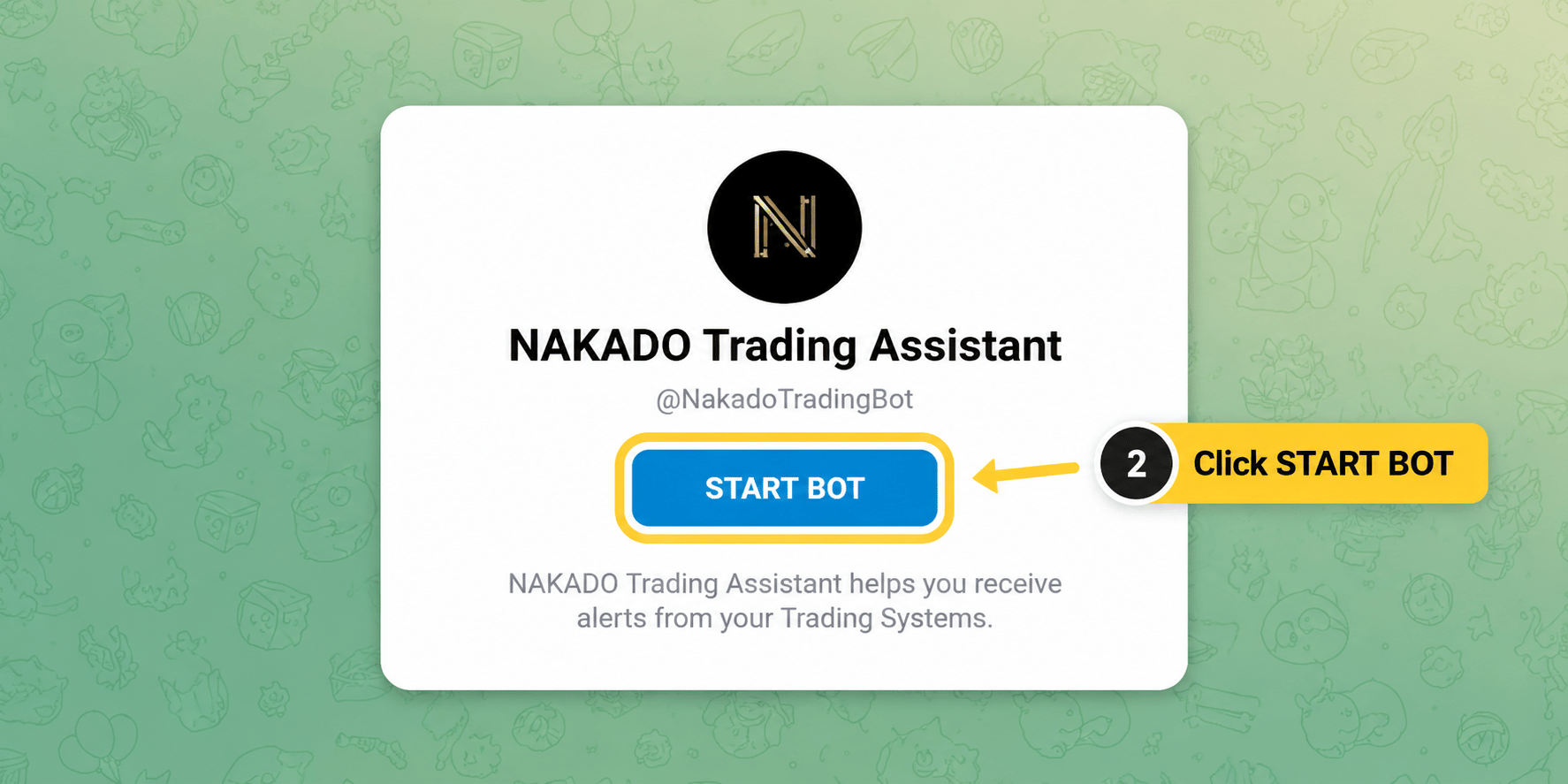
If Telegram is not connected, select Connect Telegram, open the bot, and press START BOT. Return to Trading Assistant and confirm the Connected status before continuing.
Step 02
Create a Strategy
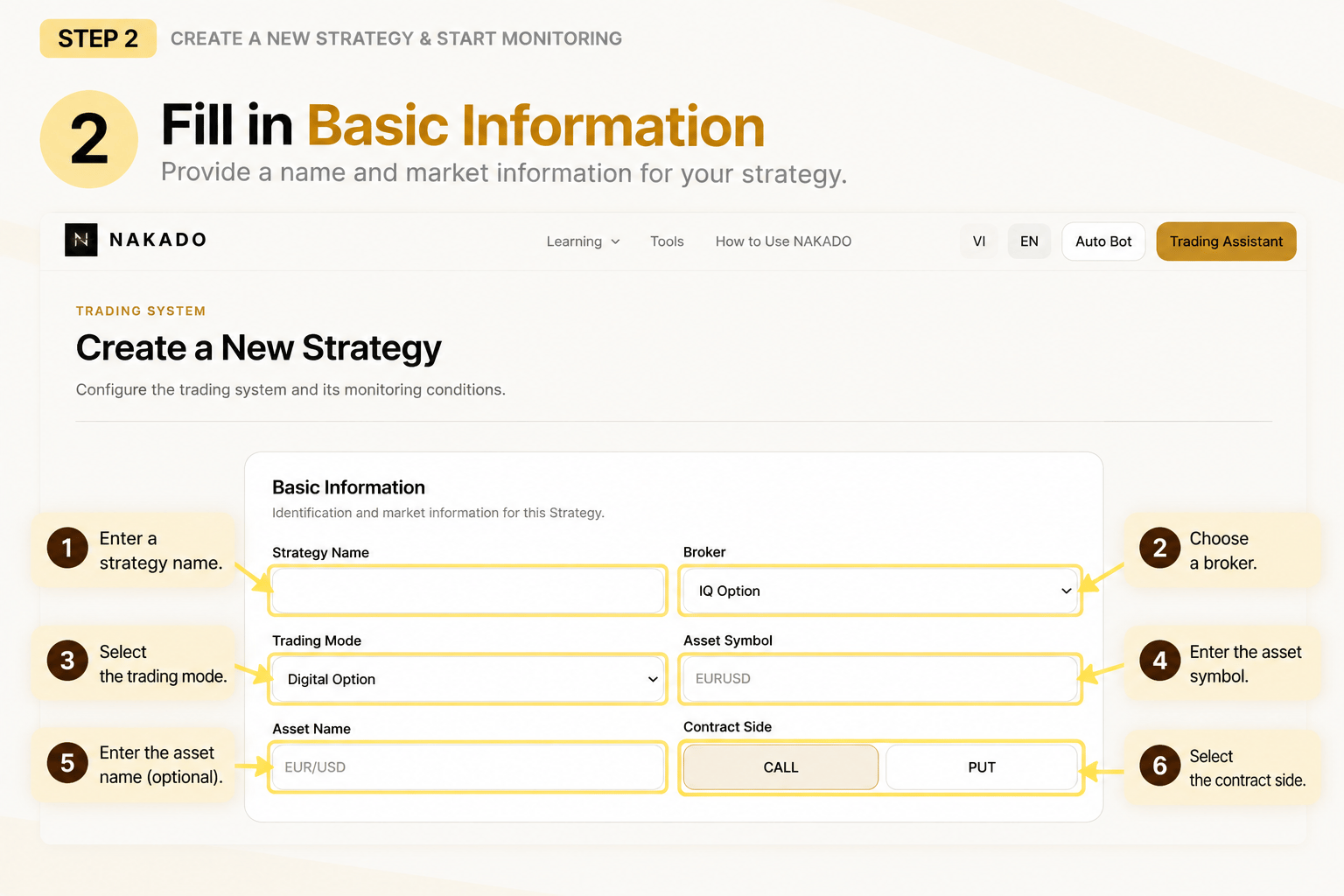
Select New Strategy, then complete Basic Information to define the market and setup that Trading Assistant should monitor.
- Strategy Name
- Broker
- Trading Mode
- Asset Symbol
- Asset Name
- Contract Side (CALL / PUT)
Step 03
Configure Monitoring Conditions
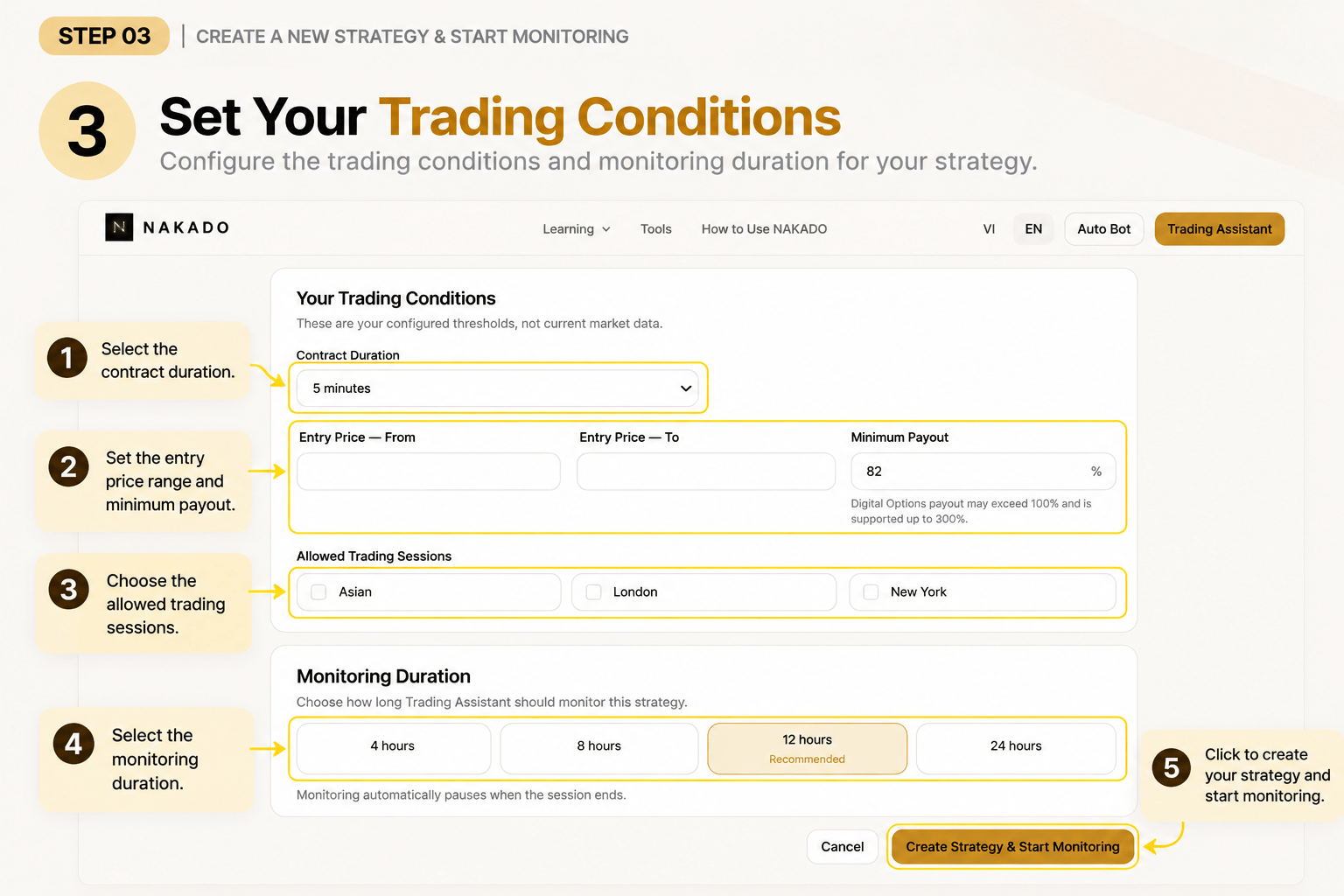
Configure the thresholds and conditions Trading Assistant will use to monitor the Trading System. These are your configured values, not necessarily current market data.
- Contract Duration
- Entry Price range
- Minimum Payout
- Allowed Trading Sessions
- Monitoring Duration
Available monitoring durations are 4, 8, 12, or 24 hours; the current interface presents 12 hours as recommended. When ready, create the Strategy to start monitoring.
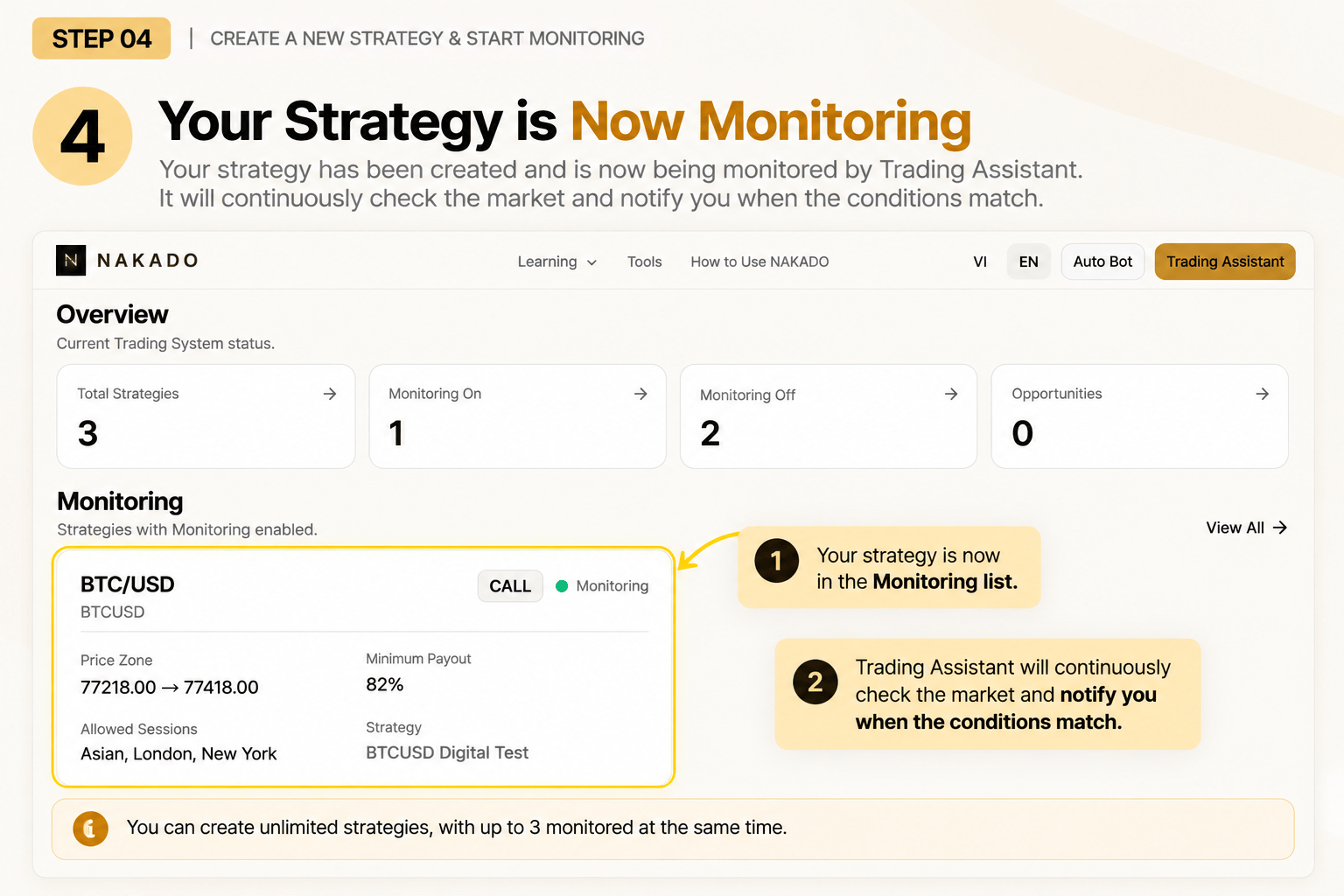
Step 04
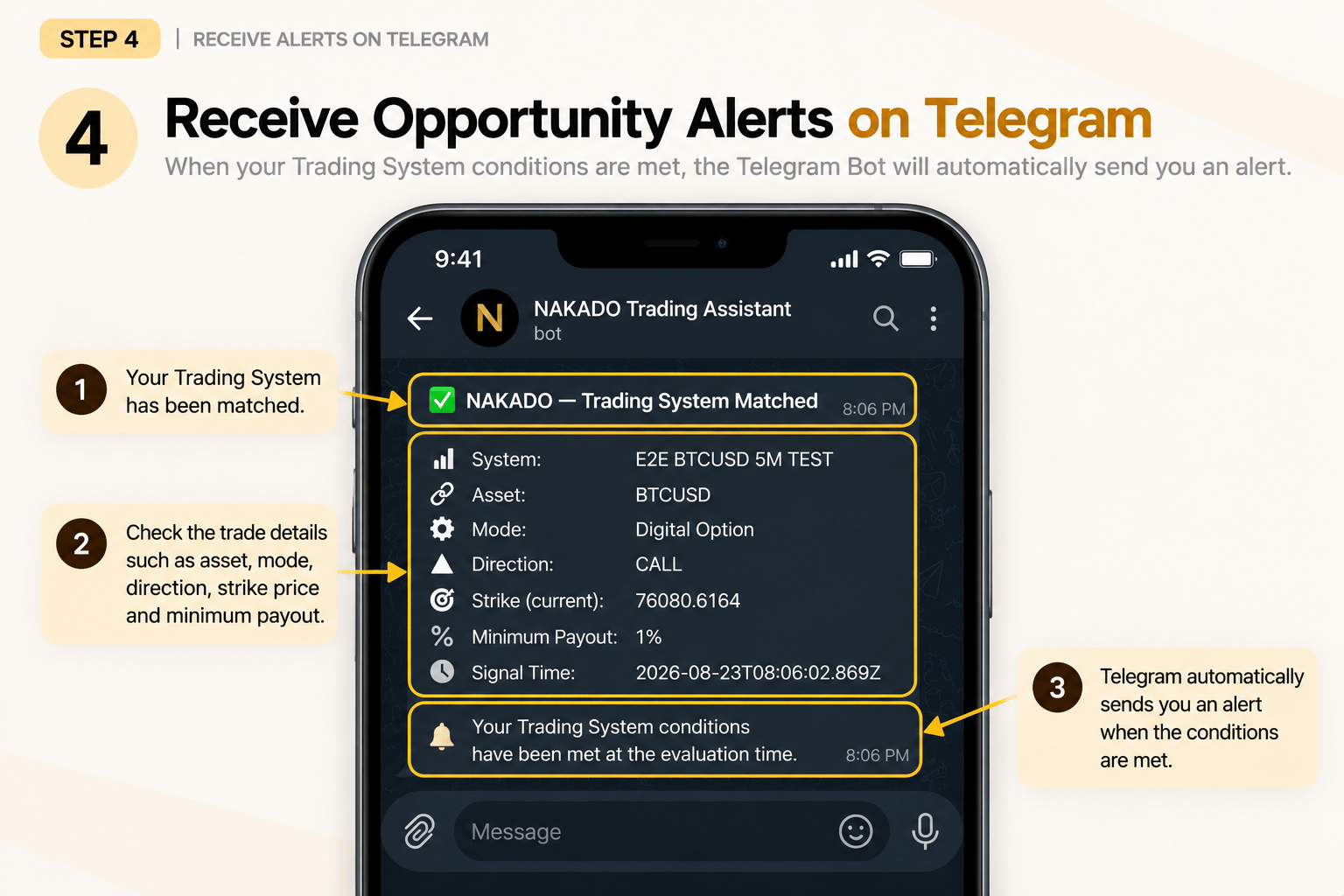
Receive Alerts on Telegram
When your Trading System conditions are met, Trading Assistant automatically sends an alert to your connected Telegram account.
The alert reports a matching opportunity; Trading Assistant does not execute a trade for you.